
Forums: Digital Camera: Vivitar
 Add Comment
|
Add Comment
|
 Related Links
|
Related Links
|
 TrackBack
 Related Content
Anyone seen the Vivitar Mini Digital Camera?
I'm having trouble with the disc. Its not downloading the driver to work with camera. Or its something about the driver thats not working? Anyone else having this trouble and will you share what fixed the trouble? Thank you.
Jo Ann
Fri, 10 Aug 2007 00:25:22 +0000
I bought three of these as well and I loaded the software from all three and still get the "Driver not available". The problem is it does not tell us which driver is needed and the camera is too cheap to spend much time researching it. I say this is one of those W.C. Fields (sucker born every minute) things.
Dennis
Sun, 12 Aug 2007 16:25:49 +0000
just bought one today and having same trouble; are you all using an XP operating system???
kae
Tue, 14 Aug 2007 23:43:31 +0000
well ijust got 10 minutes ago and im fine
but the image quality isnt good but 4 10 bux who the hell cares
jay
Mon, 20 Aug 2007 00:23:02 +0000
so does anyone know how to fix it? i know it wasonly ten bucks, but it would be great if it worked.
robin
Wed, 22 Aug 2007 23:54:54 +0000
my friend gave me a vivitar mini digital cam with the chord but no instrutions... n is there supposed be a cd that comes with it????? well if so i dont have it can i go to a certian site n download it from there???? plz help thanks
subrina
Thu, 23 Aug 2007 05:30:52 +0000
Well I thought it was just me. went to vivitar site and no luck. My disc is bunk as well. Operating on a macOS1o - any help would be great
natu
Thu, 23 Aug 2007 09:27:41 +0000
Ok if you have the disk I can help, I know how to get the pictures,
First I have to say if you use you ubs port for anything else, make sure you have the disc for that item, if you install this camera, you will need to reinstall the disk when you use the other items in the ubs port. If you don't have backup disc do not install this if you ever want to use the other item again. I don't know if this will mess anything up, I just know this worked on my compaq presario windows xp that is all I know. If you do this and it screws up your computer, don't blame me I just know it worked on mine. But every time I want to use my web cam I have to reinstall the disc. so if you still want to do it try this
go to my computer
right click on the disk drive with the disk in choose explore
once there you will see folders click on driver folder
click on set up it will ask to install and install it. it told me to restart my computer but I didn't and it still worked. It will change the fancy program to a generic one but you can now see the crappy photos. yes, mine were not worth the trouble of this so this is your warning. I have to say, I tried it in more light and for a $10 camera it worked pretty good, just have lots of light. Hope this helps
also if you want to delete the pics just take out the batteries and the pictures are gone.
Pamela
Wed, 29 Aug 2007 17:13:50 +0000
I bought one today and I found that I needed to use a duracell battery to make it work.the battery that comes with it is not powerful enough. not bad for ten bucks. I ran the software install from the cd and after i rebooted winxp picked it up and reinstalled it automatically. works fine except i cant get the webcam feature to work.
took a while to figure out how to get it to delete the pics from the camera. press the mode button and get to the CA then press the snap button and then press it again about 2 seconds later.
if you cant get the drivers to install off the disk then go to the cd itself and go into the drivers folder and right click on the setup.exe and choose run in compatiblity with win98.
anyone know how to get the webcam feature to work????
Attached Image: 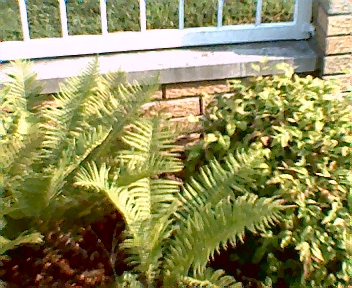
004.jpg
Ron
Thu, 30 Aug 2007 22:58:15 +0000
Here are fully working drivers for the
MR97310 VGA Dual Mode Camera.
This camera is sold under many names including:
Crystal Digital
Dual Smart
Genesis Logic
Innovage Outdoor Sports Mini Digital Camera
L'espion Mini Spy Digital Camera
Mini Digital Camera
Philips Keychain Digital Camera
Vivitar mini digital camera
And probably dozens more.
I recently bought one of these cameras only to find that the webcam
feature did not work. However, a friend also bought one and his
worked fine. when I tried my camera with his drivers it also worked
properly.
Uninstall your other drivers first then install these.
I also found a great webcam program for use with
internet chats!!
It is called YAWCAM
What is Yawcam?
Yawcam is a shortening for Yet Another WebCAM software, and that's exactly what it is ;-)
More precise Yawcam is a webcam software for windows written in java. The main ideas for Yawcam are to keep it simple and easy to use but to include all the usual features.
Yawcam is completely free to use!
Yawcam features:
.: Video streaming
.: Image snapshots
.: Built-in webserver
.: Motion detection
.: Ftp-upload
.: Text and image overlays
.: Password protection
.: Online announcements for communities
.: Scheduler for online time
.: Multi languages
Enjoy!!
Ron
Sun, 02 Sep 2007 19:51:44 +0000
I already installed the driver (the one which came with the camera) Everything was installed OK but when I run the software it says "CANNOT CONNECT CAMERA" . I can't do anything else. When I connect the camera into the computer thru USB cable, nothing works. Does anyone know how to use this camera correctly?
Carlos Valencia
Mon, 03 Sep 2007 20:08:15 +0000
I'M HAVING THE SAME PROBLEMS WITH DRIVERS!!
This is my SECOND camera, because I exchanged the 1st one, thinking it just didn't work.... If ANYONE has an answer, please email me!!
Thanks
Dan
Daniel Bush
Fri, 07 Sep 2007 20:04:08 +0000
I think it is BULLSHIT. It just DOES NOT WORK AT ALL/
qwwejsfdzn
Sat, 08 Sep 2007 14:57:24 +0000
i got my hands on one of mini's. had problems with the driver. took it back and tried again. same. pulled the program tried again. found out you mustnot have the cam plugged in til the whoke thing downloads, period. when the field shows go to driver left click it will tell you to load. click on that balloon. i let it sit for a while to make sure. again do not plug camera until everything has downloaded. mine works fine now. nice color just a bit grainy. have three always one in my pocket.
lug
Sun, 09 Sep 2007 17:34:19 +0000
It's all bulls**t. 10 Bucks down the f**king drain for nothing. The zip file doesn't work at all. Vivitar hasn't respond back to me in a week and I'm getting very PISSED OFF!!!! There better be someone out there that knows something before I flip the f**k out.
David
Thu, 13 Sep 2007 23:01:48 +0000
My camera works fine and I was finally able to load the drivers (I too have XP). However, I can't save the pictures. While it gives me the option, nothing is saving to my computer. Is there a trick to this?
maria
Sat, 15 Sep 2007 05:18:59 +0000
well the camera does work for me i downloaded the driver off of this page and it worked just that the camera sucks i didn't buy this camera thank cheeseits some one gave it to me ... i htink that the pics are ugly and blury not a good camera at all but anyways thx for the driver
robert
Sun, 16 Sep 2007 16:16:41 +0000
I bought the camera on impulse for the fun of it, and it works OK. The image quality is really crappy and it's not worth bothering with it unless you just want something to play with. The capture speed is very slow so you have to hold the camera very steady. It has a sort of web-cam mode that you can get to from the software by setting it to "PC-Camera Mode" and "Option/Preview". Then you can capture still images from the computer. I found that it seems to draw down the battery if you leave it in the camera for a while, so I always remove the battery.
Kurt
Sun, 16 Sep 2007 20:16:32 +0000
I have the $10 Vivitar version of this camera and just LOVE it! I can't get the webcam function to work though either.
Attached Image: 
awsome.jpg
Sonic MMM
Sun, 16 Sep 2007 22:27:42 +0000
Please if anyone could help me with getting the pictures out of the "my camera" setting and like downloaded onto my computer it would be a tremendous help! Thanks!!
crystal
Tue, 18 Sep 2007 03:00:54 +0000
Thank you for the Digital Mini Camera Drivers. I downloaded them and now my camera works just fine. I still cannot get the PC-Camera function to work, and there is "some" distortion in some of the pictures, but other than that, all works fine.
After nearly losing my "Operation Manual" I typed it out and saved it to my computer. Enclosed is the text (without pictures) of this manual. It is from my "Vivitar Mini Digital Camera". I hope it helps some of you.
Thanks again.
-Timotheus
Timotheus
Wed, 19 Sep 2007 07:43:46 +0000
HELLO I NEED MAJOR HELP PLS THIS IS THE FIRST TIME VISITING THIS WEB SITE AND I'M NEW WITH ALL THIS STUFF WITH CAMERAS I BOUGHT THIS MINNI CAM FOR MY SISTER BUT I JUST CANT GET IT TO WORK I FOLLOWED SOME OF THE STEPS THAT SOME OF YOU WROTE ABOUT BUT IT JSUT WONT WORK SOMEONE PLS HELP I HAVE THE DC-ROM THAT CAME WITH THE CAMERA HELP
karla
Sat, 22 Sep 2007 07:42:38 +0000
The download zip file works quite okay, though the camera does not show the following modes which are listed in the user manual:-
NP - for Compressed Mode
F5 - 50Hz-220v Voltage- 50Hz for China.
Raphael
Sat, 22 Sep 2007 14:33:36 +0000
I was assuming that my software wouldn't load because I'm on a Mac. I just emailed customer service - we'll see that that works out. Just another example of "you get what you pay for."
Cat
Sun, 23 Sep 2007 01:22:45 +0000
I just bought one too, and I can't get the software to install properly either! I've uninstalled it and installed several times and for $10 this is not worth the headache. WHAT A CRAPPY PRODUCT! Who sells a camera for $10, making such a big deal about how easy it is to work with and then offers software that is really questionable (just read above to see how many people can't get the damn disc to work)? - OH! I KNOW VIVTAR!
Brett
Sun, 30 Sep 2007 18:31:25 +0000
This is the BEST camera I ever bought. I bought it at CVS for $9.99. So I bought 24 of them and sold them for $35.00 dollars at a flea market in Wisconsin and Michigan .All my customers were happy to buy them.I sold all of them in 2 hours 35 minutes. I will buy 15 dozen to sell. People are real suckers for electronics.
Bill Nelson
Tue, 02 Oct 2007 12:36:30 +0000
I just bought a Vivitar Mini Digital Camera at CVS for $9.99. I had no trouble installing the software and drivers on my computer running on XP. However, the instructions are at too laconic and at times unclear; but I was able to operate the camera. The picture quality is mediocre, but commensurate with the low price.
Alex
Sat, 06 Oct 2007 21:21:32 +0000
I just bought a vivitar mini digital camera. It installed fine, but then whenever i try to take the picts of the camera its say "cannot connect to camera" maybe the usb wont work or sumthin. any advice?
Aundria
Tue, 09 Oct 2007 01:04:30 +0000
Yeah, we lost the original cd and tried downloading the recommended "V10-192H-XP.exe" file from the vivitar site but it doesn't work either. I think you need to find a .zip file and then "extract" that file into a folder. Then you could check the folder for either a setup.exe file OR an .inf file. XP seems to ONLY be interested in the .inf file to be able to install it. For some unknown reason, Win XP doesn't display this particular camera in the device list either. I even tried burning the .exe file onto a cd and that doesn't work either. This is a shame because we used to be able to download pictures from this camera at one point but for some reason we can't now. Granted, the pictures aren't the best but for just taking a quick picture (with GOOD lighting), it is a reasonable camera. Vivitar is really doing a dis-service to it's customers who have bought this camera. Someone at vivitar needs to make this right. They need to provide instructions for installing with the "V10-192H-XP.exe" file. They do have a .pdf manual on the website but it seems to ONLY be worthwhile IF you have the original cd, otherwise you're just banging your head against the wall. If I somehow manage to find a way to get the downloaded "V10-192H-XP.exe" file to work, I'll repost the instructions...
Dave
Tue, 09 Oct 2007 04:53:36 +0000
Bought the mini camera and (dumb me) cut the disc while cutting the plastic off. Tried downloading the above but still can't get anything. Is there any way I can get another disc without buying another camera???
Carlous Carter
Tue, 09 Oct 2007 14:38:10 +0000
I bought one like a month ago..i got it to work just fine ..but idk wats wrong with it now..the pictures are comin out all dark and blurry
Larimal
Fri, 12 Oct 2007 03:04:48 +0000
if u cant get this to work then ur an idiot. period.
also... its $10... if it doesnt work.. calm the fuck down... its not like this was a major financial event for u... n00bs...
to every1 else... cheers... u get what ya pay for... good cam for a good price.
eckspert
Fri, 12 Oct 2007 08:53:10 +0000
i bought one my friend fix it up for me but after i got home i have had one problem after another.when i buy something don't care how much it cost i wanted it to work.
judy veles
Fri, 12 Oct 2007 22:33:28 +0000
This is Chinese crap and no real Vivitar product. The Chinese just put the Vivitar logo on. When your computer doesn't recognize the camera, and you did install the drivers, probably the electronics in he camera are faulty. Not only wasting 10 bucks, but also poluting the enviremont for nothing. A shame that CVS and companies alike sell such junk!
Robbin
Mon, 15 Oct 2007 23:50:58 +0000
My husband finally after seeing it a few times at walgreens bought this camera for $10. It is a headache, then he wants me to help him figure it out! It costed $10, I just can't believe Walgreens sells this crappy thing. I will be returning it.
Ruby
Mon, 22 Oct 2007 16:17:38 +0000
Well, the camera is working, from what I can tell, but the driver just won't download properly. Went through the process, twice already, restarted the computer when I was done and everything and still no luck. I know its cheap, but that doesn't mean its excusable for it to NOT WORK, just not to work well. I'm going to play with it a bit more, because I got it as a move of desperation--my Nikon digital camera broke, and I need some pictures immediately for a little powerpoint project, so quality isn't a big deal, but time and finances are. Not quite sure this was worth the ten, as a working student I could've bought a superpack of microwavable ramen for that...
Daniel Villa
Tue, 23 Oct 2007 16:54:43 +0000
omg i just bought 1 today and i got it to work but my pictures are black and white!!! is that suppost to happen?
Nicole
Tue, 23 Oct 2007 23:56:05 +0000
I had problems with the driver also/ I got very frustrated and went to bed The next day I had forgotten the disk in the computer , when it started up and low and behold Windows Installer took over, installed it and working great scenes. This photo was taken indoors with light coming thru south window.
Attached Image: 
LITTLE BIT Really Good23LEAVES.jpg
Mike Naylor
Thu, 25 Oct 2007 07:43:30 +0000
i'm havin trouble 2,anyone know certain website that could help??
victoria
Fri, 26 Oct 2007 23:48:53 +0000
Does anybory that can help me sending the drivers to download my pictures to the computer.
Juan Pavajeau
Sat, 27 Oct 2007 17:33:45 +0000
I used the suggestion from the person who switched the drivers, Thank you! The camera works fine now. I just want to try the other battery. I'm sure it will work better.
Kyn
Sat, 27 Oct 2007 19:28:59 +0000
This Camera sux it doesnt have good instruction..damn wat a rip off this givin me such a headache wat waste..
Evelyn
Sun, 28 Oct 2007 01:34:27 +0000
i cant take pics please help it says 57 on the mode part help
Bria
Mon, 29 Oct 2007 04:27:27 +0000
Great site, one file download and use that when asked for the drivers when the camera was plugged in an dthe pictures and webcam mode all worked fine for the $10, it is not to bad.
Pity the images are lost when the battery goes flat!
Tapanui
Thu, 01 Nov 2007 03:43:06 +0000
My MacBook Pro will recognize most digital cameras without any special drivers being installed if they are connected via USB, so I thought maybe this one would, too, which is why I bought it to begin with. Actually, I didn't expect it to work for $10, but I was curious enough to try. Anyway, I took a test photo and then connected the USB cable to my Mac. No icon showed up on the desktop, and no available device appeared under the iPhoto import command. I also tried Image Capture, which has occasionally worked for me with other devices when iPhoto wouldn't recognize them. Still nothing. And then I got a warning I'd never seen before, that a USB hub device was using too much current and would be disconnected. So I unplugged the mini-camera. Something was going on within the camera itself, though, because when I first plugged in the USB cable, the mini-camera turned itself on and its mode window displayed "PL." Pressing the camera's buttons at that point, though, did nothing. I don't run any Windows software on my Mac so I didn't even try installing the software on the included CD. As I said, I bought this just out of curiosity, figuring the $10 was no more than the cost of a movie. And I already knew Mac compatibility was a longshot because the packaging for the mini-camera mentioned only Windows.
hwilliam15
Sun, 04 Nov 2007 18:27:19 +0000
I bought one yesterday and hd alot of trouble w/it but i got detrmined to get it to work cuz it ay It looks so cool. Today I returned it for another one and got it to work but i noticed everytime i un plugged it from my computer it wouldntgo on i though it was a dead battery when i realized their was plastic on the battery and neded to be peeled off and now i study the manuel and i got it all figured out and it does eerything its supposed to.
Andrea
Tue, 13 Nov 2007 03:59:20 +0000
Purchased vivitar mini digital camera, cannot use beacuse it did not come with software cd to install on computer where can I download installation disc via internet?
mary
Sat, 17 Nov 2007 16:47:10 +0000
So i've had the digital camera for a while,but the thing is now when i wanna delete a picture or do somethin' else nothin happens it just stays in the 20(or another #,i know what they are for),I think the button might be broken,But when i put on a new battery it went back to 20,it was in 17.But same thing happens i cant delete or nothin'.Does anyone know what's wrong with it?
Alberto
Sun, 18 Nov 2007 04:06:59 +0000
how do you down load my pics of my camra on to my computer??
darien and carrington
Sun, 18 Nov 2007 19:00:11 +0000
I also purchased one for 10 bucks. The installation disk loaded fine (IBM Aptiva running windows 98) but could not get pix to download. Dialog box states camera not connect altho the system turns the camera on. Tried reinstalling the disk and even read all the instructions. No soap. Congrats to all that had success. Joe.
Joseph
Mon, 19 Nov 2007 17:55:33 +0000
I also spent 10 bucks on the mini, my camera will not be recognized by the MY CAMERA software, I installed Photo Impression 4 and it works fine to get the pictures, but it loses all pictures as soon as it shuts down anybody know a fix for this?
Clark
Wed, 21 Nov 2007 17:06:47 +0000
I love my tiny camera. For $10 it is great. I had wanted to send photos over internet but could not afford digital camera. I can take a photo and have it on the e-mail in 30 seconds. My biggest problem is holding it steady. Great tiny photos. Works on Vista fine. My advice is to read the instructions well. All features work including a 10 second video. What a hoot for a liitle keychain camera. I didn't ecpect much but was amazed!
Becky
Thu, 22 Nov 2007 18:06:13 +0000
hi i need the driver for the little camora i plan to install it to my u3 cruzer so i can upload my picks any wear
ben
Sat, 24 Nov 2007 21:32:02 +0000
Thanks all for your comments. My son and I saw this camera tonight at a CVS and he really wanted to buy it. I was very sceptical.
I have read enough of your responses to know better than to waste 10 dollars.
Dave
Sun, 25 Nov 2007 03:54:49 +0000
i bought one of these also, i took a couple pics on it, one showed up the other didnt, but now, after taking some pics, it says there is nothing in the camera, ughhhhhhhhhhhhh----------can anyone help?
shannon
Tue, 27 Nov 2007 02:18:04 +0000
Vivitar mini digital is JUNK! Pictures Suck.....
Gunners762
Sat, 01 Dec 2007 03:40:26 +0000
Thanks to this forum, I did get this cheapo camera to work somewhat. It takes pictures, but a little quirky with the video. I installed Java and the YawCam software,based on one of the comments here, but when I preview the live video, the camera times out after about 10 or 15 seconds, and FREEZES!
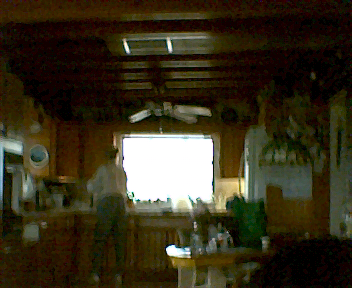
A TIP from me is in order to shoot halfway decent pictures, you HAVE to hold the shutter down for about a count of 3 seconds. If you hold it up to your ear, you will hear a faint beep after about 3 seconds while holding the shutter. The trick is to HOLD IT STEADY while you're doing it! I've attached one picture-not the prettiest, most SCENIC shot-its my "laboratory" where I tinker, but serves pretty well showing the relative quality (or lack of) this $10 camera in indoor lighting. Hope this helps some of you fellow "gadgeteers" out there!
Attached Image: 
005.jpg
Jim
Sun, 02 Dec 2007 09:44:01 +0000
I bought one and installed the software and it says it cannot connect to camera. The instructions are a hard read. Anyone know how to fix the cannot connect to camera problem? That flip up shutter, how are you supposed to take a whole shot of anything, you can't even see through it clearly or are you supposed to look through something else? It's really not worth the bother. I have Windows 98, I thought it was compatible with this. Jo Ann
Jo Ann
Mon, 03 Dec 2007 22:34:18 +0000
Yeah, I'm having the same problem as Jo Ann. I bought one of these little cameras a few months ago for $10 at Walgreens, and it was working fine up until now. I haven't used it for a couple of weeks, and just today, I took a few pictures, but when I connected the USB cable and went into the My Camera program, it says that it can't connect to the camera. Anyone have a solution to this issue?
Tabitha
Wed, 05 Dec 2007 18:28:23 +0000
The actual camera manufacturer of the vivitar mini digital camera is a company called Innovage.The phone number is 949 587 9207.
I contacted them, and told them i had no disc. They sent me the correct one free of charge.no questions asked.
I hope this helps.
V.
Vinniec
Thu, 06 Dec 2007 17:47:09 +0000
thanks for the info and the download materials. i have a working camera, even if it's not the best. it was a secret santa gift so i didn't spend MY money on it. i definitely appreciate the help from Ron and the drivers. I have Microsoft Vista and it works fine. It's a fun toy. I wouldn't rely on it for anything else.
angie
Mon, 10 Dec 2007 01:05:44 +0000
man i got the blu3 mini digital camera n it dnt work every tim3 i put it in the computer it say PC but when i tak3 it out it jus go straight off
Attached Image: 
images.jpg
Gerald Watson
Thu, 13 Dec 2007 01:11:25 +0000
Thanx s0o0oo much for that zip file , my $10 cam is working fine thanks and chuck norris loves you
Scott
Sun, 16 Dec 2007 00:41:19 +0000
This is a cool site. I had driver problems at 1 time, too. I've bought 3 so far, it seems like different cd's are, in fact, different.Have had good results so far. Next I need to be able to use the pc cam feature so I can use my laptop as a viewfinder, then snap the shot. Anybody doing this?
Attached Image: 
arroyos 1 019.jpg
icetucson
Sun, 16 Dec 2007 07:50:53 +0000
Just bought one also, no problem with the down loads, but the little digital screen that tells me what mode I'm in is not working properly. only has a few dashes on it.
Esther
Mon, 17 Dec 2007 00:16:18 +0000
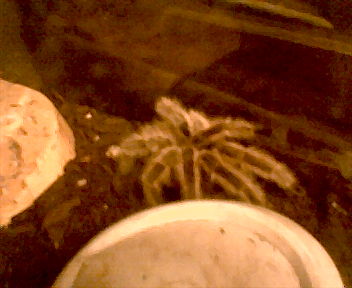
This is an indoor pic, no special lighting just small lamp, of my spider now if only the mode screen worked
Esther
Mon, 17 Dec 2007 00:36:42 +0000
I downloaded your "zip" Ron. Same files as on CD,still did NOT work on my POS PC, but I have an e-machine PC !!! Everyone get the laughs out already. I suggest everyone file a complaint with their State Attorney General and check out this smarmy company at this consumer website ...... innovage - Consumerist. This company should have some class action lawsuits filed against it. That is if anyone ever catches up to them. They change names more than most people change underwear. And as for e-machines PC's, after having this one I now see & know why the "E" in their logo is broke !!! I would recommend anyone that is attemting to sale or give you one be beaten to death with the PC !!!
Randall Everett
Thu, 20 Dec 2007 05:38:50 +0000
I bought several of these cameras for stocking stuffers - and am having the same problem... After several calls to Vivitar support cutting me off...I finally just held on until a receptionist answered the phone - I gave her my name, phone number and email... told her I didn't want to hear any excuses about tech support phones being disabled... I told her to tell tech support that I would be contacting the press about this if they didn't call back... so it's a wait and see game now...
Nikki
Thu, 20 Dec 2007 18:57:10 +0000
UPDATE!!!! I was able to reach Vivitar - and we spent several hours going back and forth with the software issue...He decided to have one of his top Engineers on it and to fix the problem!!! (I won't state his name even though he said it was ok) He took the little camera home with him and worked on it until he figured out the problem...turns out it is the way the software is uploaded... The guys at Vivitar were fantastic... I also while I had him on the phone - told them about the 1-800 - directing people to another 1-800 support number, where no one picks up the phone... He took both numbers from me and called them (the 1-800 support team) so in the future people should be able to get through without issue...The guys at Vivitar also told me that they would repsond on this site with the solution and also were going to put up support information on the Vivitar site... I would give them a few days...
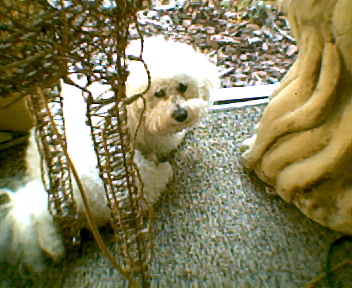
Attached is a picture a took with the little camera of my dog, Jasper Jax...picture is a little bright because I was shooting with a lot of Florida sunlight coming in...the picture when downloaded as Bitmap - but allows you to save in Jpeg - which is what I did with this shot...I hope this helps...Merry Christmas to all!!!
Nikki Oldaker
Sun, 23 Dec 2007 00:08:58 +0000
I lost the directions telling me what the codes are.
Anybody know where i can find the Mode codes?
Lorrie
Sun, 23 Dec 2007 03:20:18 +0000
I can't get installed because everytime I put the stupid disc in the drive, it pops out again!!! Please, I'm in desperate need of help!!!
morikahjo
Mon, 24 Dec 2007 01:30:11 +0000
I did everything the directions said and then when I hooked the camera up to the computer it said "cannot conect to camera!" Did this happen to anyone else and if so were you able to fix it. Any help would be greatly appreciated. I received this as a gift and I really don't want to have to take it back. Thanks so much
Melissa
Mon, 24 Dec 2007 04:43:24 +0000
If you plugged in the camera before you loaded the software, unplug the camera and do the following:
1) Remove the software using Add/Remove programs
2) Restart the computer
3) Install the program again
4) Plug in the camera and try again
Good Luck!
anonymous
Mon, 24 Dec 2007 20:26:46 +0000
how do i fix it so i stop getting the cannot connect to camera message
Danny
Tue, 25 Dec 2007 00:46:08 +0000
I found the drivers for Windows 2000 and XP on this site:
JDC-5 Keychain Mini Digital Camera
Try it out.
Alma
Tue, 25 Dec 2007 02:57:02 +0000
i'm also having trouble with my cd and disk drive. i really want to take pics, but i can't without installing it. please help me.
a.b
Tue, 25 Dec 2007 18:15:15 +0000
I can't install the camera with the disc so how do i do it without.
anonymous
Fri, 28 Dec 2007 03:05:15 +0000
heres a number they gave me (949)587-9207 every time i call the transfer me an i get some guys message if anybody get through find out how to fix the driver
Danny
Fri, 28 Dec 2007 22:32:58 +0000
I received this camera as a stocking stuffer for x-mas. What a waste of time!! I am REALLY good at all electronics and anything with the computer, but this stupid camera really stinks. I installed the disc correctly and took pictures which is really hard because you can barely see through that "cokebottle" view window. What a joke! Then when I tried to put them on my computer NOTHING happens. So then of course I had to research this stupid little camera and found this site. Well I guess I'm not the only one with trouble. I'd like to strangle the person who gave it to me! LOL Another family member also received it too and asked me to figure it out for her because she knows how great I am with electronics. WELL I WAS BEAT BY A CRAPPY CAMERA! I give up for a ten dollar camera. I'll stick to the hard stuff. Whoever made these crappy Vivitar's should be ashamed.
Denise
Sat, 29 Dec 2007 05:15:12 +0000
I just got one of these mini cameras for xmas and I cant get the CD to work either ..anyone know where we can download the drivers ??
Kathy
Sun, 30 Dec 2007 15:40:25 +0000
I have windows 98 and the damm thing wont install:(( HELP!!!!! damm and to think I was happy when I got it in my stocking ....what a nightmare !! Hoping someone can help !! THANKS!!
Kathy
Sun, 30 Dec 2007 15:54:32 +0000
Hello,
Bought my mini digital camera on a whim. I figure at most I waste $10.
I was surprised that the images are this good for only $10. Of course the
so-called view-finder is a complete joke. They could have used the wasted space
for more memory.
From reading the posts here I can't believe people would get this upset over $10!
Looks like the distribution channels were flooded with bad drivers.
Mine works fine and I have other cameras, printers, scanners and modems
on the USB port. The camera and software also works as an image source for
Microsoft Word.
I zipped the cd and put it here: http://home.digitalsynergistics.net/camera.zip
It MUST be completely installed BEFORE attaching the camera.
Attached Image: 
008.jpg
Larry
Mon, 31 Dec 2007 23:38:20 +0000
After a little trial and error, I was able to get everything to work correctly. When I installed the software, the driver that the Setup was searching for was in my Windows XP directory. Prior to that I got messages about installing new hardware (after connecting the USB to the port), and an error message of "CANNOT CONNECT TO CAMERA" (when I started up the My Camera program.)
I also learned that the AAA battery is used up very quickly. So have some handy if you are going to use the camera a lot.
The pictures are pretty good. Took some in a darkened bar, in my apartment, and outside during the day. Expectedly, the outside ones are the best. The camera is a fun product, and for the price not something to get in a tizzy over.
John
Wed, 02 Jan 2008 17:43:14 +0000
This is my second one and they have both worked fine with the exception of the pc cam feature not working on the current one but i am working on it.
john p
Fri, 11 Jan 2008 02:36:38 +0000
"After a little trial and error, I was able to get everything to work correctly. When I installed the software, the driver that the Setup was searching for was in my Windows XP directory..."
John can you please explain in a little bit more detail how you got this working in Windows XP?
Douglas
Sun, 13 Jan 2008 19:30:07 +0000
And Larry, the link http://home.digitalsynergistics.net/camera.zip isn't working.
Douglas
Sun, 13 Jan 2008 19:33:05 +0000
@ Nikki Oldaker
It's been a "few days" and Vivitar hasn't done anything they said they would.
Apparently no one wants to contact the BBB about this?
Douglas
Sun, 13 Jan 2008 19:46:43 +0000
"The actual camera manufacturer of the vivitar mini digital camera is a company called Innovage.The phone number is 949 587 9207"
That's their number alright. Good luck getting someone to answer though!
Douglas
Sun, 13 Jan 2008 19:50:29 +0000
I am about to explain most of the key points in this forum regarding software installation. But first a couple other bits. This camera is sold under many different names and so there are other forums like this one for the various names. For example Philips Keychain Digital Camera. There are a LOT of posts there. Most of which are pretty useless. And this camera seems to have a tendency to lose all of its files. I think it has something to do with power issues, like being plugged into the computer then unplugged, or batteries dying, I don't know exactly what is going on, but now you have the heads up.
Okay...
When you install the drivers from the CD, you see a program called MY CAMERA on the desktop, and Windows XP still doesn't recognize the camera and MY CAMERA says "Cannot Connect To Camera". Go to Add/Remove Programs and uninstall Camera Driver to work from a clean slate.
Why didn't it work? If you explore the CD (right click on it then select explore) and look in the Drivers folder, the Setup program in there is bad. You can however still install the drivers without the Setup program (but don't because the .inf file in there is also bad! which I will get to in a second.) You could get the drivers to install by using the Windows Driver Installer Wizard that pops up when you plug in the camera, and telling it too look for the drivers on the CD (I think you select "No, not at this time" when it asks about finding drivers online, then after that tell it to search the CD). This will install the drivers and you can get pictures off you camera with MY CAMERA... *BUT* you can't use it as a webcam with live feed to your PC. This is because the .inf file in the Drivers folder is bad. Yes... this camera came with a CD that has 2 (TWO!) bad files. It is amazing that Walgreen's is selling something this unprofessional, but they are. BTW - Another way commonly used to install drivers is to go into device manager, select the device (it should have a yellow questionmark icon) then right-click on it and select "Update" and manually find an appropriate .inf file, but I digress.
DON'T use your CD for a driver source. DO use the drivers Ron posted on 02 Sep 2007 (MR97310c Mini Digital Camera Drivers Version 2.03 All Functions work.zip).
All the files in there work, so you can run the Setup program and use your camera as a webcam with live feed. It also installs MY CAMERA. To view live feed with MY CAMERA, click on PC-Camera Mode then click on Preview.
Ron also mentioned YawCam as a good webcam viewer. Maybe I just don't have the right settings in YawCam, but for me the feed in MY CAMERA in much more smooth than than it is in YawCam. Maybe that is because the programs serve different purposes. YawCam is an internet application, MY CAMERA just allows you to take still pictures from the live feed.
And Alma posted a nice link on 25 Dec 2007. That installer installs all drivers correctly too! However, as mentioned before, this camera comes under many names. Alma's link takes you to a site where this camera is published under the name Jazz rather than Vivitar. The ones with different names often come with different software. So instead of coming with MY CAMERA it comes with PCCam. PCCam does not have as smooth of feed as MY CAMERA, but.. it can record video whereas MY CAMERA can only capture still images from the live feed. I wonder what software the thousands of other names this camera is sold under came with.
I do not know if the CD's that came with this camera under different names are all bad. I know the CD that came with this camera under the name Phillips is bad, so I would assume most are (Walgreen's sold the Phillips brand too).
And don't install Arcsoft Photo Impression 4.0. It is just a program they want you to pay for. MY CAMERA is all you need to get pictures off your little Vivitar.
Douglas
Sun, 13 Jan 2008 22:52:43 +0000
i got my friggin vivitar camera today and the driver doesn't work and it messed up my friggin computer got dam it!!!!!!!!! uuuuuuuuuhhhhhhh
missy
Thu, 17 Jan 2008 03:31:41 +0000
Camera resolution is 352 x 288 (high), and 176 x 144 (low). Most "cannot connect" problems are with people that have windows 98, ME, of earlier versions. The problem is the USB driver !! These earlier versions of windows hate USB anything, they are a real pain to get anything to sync up regularly. The camera and software to me is pretty much a "no brainer". The resolution is VERY VERY low as stated. Lots of light and a still hand is required to get a pretty fuzzy picture. Its a fun little camera for 9.99 though. Dont expect too much out of this camera. If you go to PC-CAMERA mode, you can see how the pictures look before you take them. Remember,dont make a big deal out of this cheesy little camera, its more of a kids toy. Codes: 20=normal mode(# of pics left), OF=power off, St=self time(10 sec), Ct=cont.shot, CP=compress mode, nP=non comp.mode, Al=video funct., CL=delete last photo(press once to flash, press again to del.), CA=delete all, Hr=high res., Lr=low res., F5&F6=freq.(really has no effect). Also dont leave pics in camera too long (battery goes dead and pics are gone). Good luck all.
Attached Image: 
Freds painting.JPG
Rick VanHuss
Fri, 25 Jan 2008 16:19:28 +0000
Hooray! I finally got my camera driver and software working! I was getting the "cannot connect to camera" error message, after many trials at reinstalling in various ways. Douglas' post of 13 Jan 2008 is most helpful, as well as Ron's post of 12 Sep 07, which Douglas referred to.
But I had to place an additional twist on the installation process. Here is the process that brought me success (on Windows XP): I used the files that Ron provided, told Windows to install the drivers, and then used the setup.exe to install the "My Camera" software separately. (In earlier attempts, when I simply let the setup program install the the drivers, the SW would not recognize the camera. But this two-part process worked.)
Here is a more detailed walk-through:
1) Uninstall the "My Camera" software, if you already installed it before.
2) Download the "all functions work" version of the drivers that Ron and Douglas provided links to. (On 12 Sep 07 and on 13 Jan 08) Unzip the file.
3) Plug in the camera via USB.
4) Go to Control Panel > Add Hardware.
5) Go through the Add Hardware wizard. Tell it to look for the driver in the unzipped driver folder from step 2. (The wizard gave an easy enough walk through. My camera was listed there with a yellow question mark. I'm not sure how it was labeled then, but it is now named MR97310 CIF Dual Mode Camera. I don't know if that applies to everybody.)
6) Restart computer (I don't know if this is necessary, but it can't hurt.)
7) BTW: I next went back to the Add Hardware control panel, and found that it recognized my camera as being connected. (You probably don't need to do this, but I thought it was worth mentioning). But at this point I still found no way to access the camera. So, on to the next step--
8) Go to the unzipped file from step 2, and run the setup.exe there. This installs the "My Camera" Software. It'll tell you to restart your computer. Do it.
9) Hooray! Done. Open the software, download your pics. NOTE: I think I actually left my camera plugged in the whole time, but I don't think it matters, after the Add Hardware process is done. You may have varying results. I have Windows XP.
In summary: Man, what a screwed up install process, but I am pleased to finally have figured it out. Great thanks to everyone who provided constructive help in this forum. This is a nifty little camera. Of course it's essentially a toy, given the low resolution available and lack of flash, but it's well worth 10 bucks, just for fun -- if you can get the #!$@ software installed! Good luck.
Anne W
Sat, 26 Jan 2008 18:12:19 +0000
thank u Anne W!
u rock! ur instructions on 1/26/08, were perfect for a Vivitar branded version of the camera on WindowsXP
Ron and Douglas r also awesome!
thanks!
vive la resistance!
scott
Mon, 28 Jan 2008 05:58:45 +0000
To all those who are wondering how to save pictures onto their computers:
I had a lot of trouble with this as well. I'm not sure how I fixed the problem, but here's what happened.
When I tried to save files and pick a destination folder, they wouldn't be in there after the camera said it had saved.
I then tried saving pics one at a time (the single disk icon), and noticed the filename the computer automatically put in looked weird, so I picked a sensible filename (extension .bmp) and it actually saved!
After trying this, I then tried saving batches of photos once again and it magically worked. The computer automatically named the photos 001, 002, etc.
Hope this helps. I agree the instructions are crap! But I am a teacher and am excited to let students use in my classroom.
Anna
Tue, 29 Jan 2008 23:50:45 +0000
Bought it in San Diego @ Xmas. Not 1 problem. I will try to upload a link of an ISO of the disc that came with mine. Hope it helps. The link should post after 1 pm PST Feb 01 2008. Here are some pics from it. didn't expect much. except for eating batt. I really can't complain for $10.Iwill repost with web page site info after I upload. chk back this afternoon.
Attached Image: 
016.jpg
PC_security
Fri, 01 Feb 2008 17:57:11 +0000
well, i baught mine, tried it, installed the drivers and the same problem occoured... so then i baught a vivicam5385 and it works like magic :D
steven
Sun, 03 Feb 2008 18:13:28 +0000
I just bought a Vivitar, it does not seem to be Vista capable, but when I loaded the drivers first per the directions, before I plugged in the camera to my Windows XP laptop it worked just fine, but as soon as I plugged the camera into the USB port it immmediately read new hardware found, so I used the wizard for installing new drivers and it updated the MR97310 CIF Dual Mode Camera drivers right off of the internet. When you go to the folder MARS in your program files to try to get to the drivers it only lets you see the icon, even if you have your computer set to view all subfolders. I think the drivers are supposed to be a secret, or something. Anyway with windows XP it works great.
wolf4867
Sat, 16 Feb 2008 07:38:23 +0000
I FINALLY GOT IT TO WORK, AT FIRST MY COMPUTER COULDN'T DOWNLOAD IT'S SOFTWARE, BUT I SOMEHOW GOT IT TO WORK WITH MULTIPLE ATTEMPTS, IT WORKS FINE, PICTURES ARE NOT THAT GREAT THOUGH....GOOD JOB FOR A $10 WORTH.
Attached Image: 
roses2.png
roland
Sat, 16 Feb 2008 10:02:15 +0000
I just returned from a Carribean cruise and used two of the Vivitar camera's. Had my husband read the directions for me so who knows what he interpreted. All I know is I downloaded the software and it says there are no pictures on my camera. I just took two pictures with each camera and they were there one second and gone the next. This is way to difficult for $10.00.
Mar
Fri, 22 Feb 2008 17:00:14 +0000
Bought one of these a couple of days ago. Came with disk and connection cord. Had no problem downloading both driver and photoimpressions. Seems simple enough to take photos and download to computer. Photos are tricky and work best taken outside. The only problem I am having is trying to center the picture through the tiny window. I guess it just takes practice. Not bad for $10.
William
Sun, 24 Feb 2008 01:35:16 +0000
I ran the driver in my Vista and it works great. No bugs or anything. It must be your computer.
alex
Tue, 26 Feb 2008 01:29:53 +0000
I bought the Vivitar mini digital camera from Walgreens in Feb 2008. I installed the drivers, got the restart computer command and did it. When I used to USB to link the camera to my laptop I got a message saying the installation failed. I pulled out the USB and my $1200.00 lap top went poof. The mother board fried according to the computer techs where I take my computers. They would not say it was Vivitar's fault, but did say they would not use that stuff on another computer.
Sue J
Tue, 26 Feb 2008 15:01:25 +0000
to my computer brothers, if you like a challenge, don't read this. if you want the camera to work, read on. download the 97310c file from douglas above(thanks doug). install it (WITHOUT) the camera hooked to the p.c.. restart. hook up the camera, xp will find the dual mode SL310 camera, let xp go find the driver on the net. HOOOPS THERE IT IS !!!!!!
pete jones
Sat, 08 Mar 2008 13:36:44 +0000
i have the same troubles of installing the disc in to my computer the instructions mAKE NO SENSE AND THESE pictures i need right away .i have been trying to figure it out for the last hour or so .someone please HELP ME!!!!
brianna
Sat, 08 Mar 2008 19:42:14 +0000
Like many others, I was getting the "cannot connect to camera" message when double-clicking on the My Camera icon. Well, here's another thing for you to try. Maybe it is your computer. If you have more than one USB port try another one. That worked for me.
Even after loading the files that work (see post from Douglas on 13 Jan 2008) my computer really wasn't finding the camera. Looking in the Control Panel > Add Hardware it didn't show a camera hooked up, even though the computer made the sound when I plugged it in. Somehow I thought to try another USB port and Bingo!.
Scott S
Mon, 10 Mar 2008 04:21:50 +0000
Well, Like others, I'm getting the 'cannot connect to camera' I've tried several of the suggestions and still no success. I am actually unable to uninstall the camera driver from my computer. I click 'control panel'> to "add/remove programs'>then I select 'camera driver' and click 'remove' however, when I click it, my computer does nothing but show that I've clicked on the button. (?) So, it seems like a fresh start is outta' the picture. :{
* If I try to remove camera driver with the disk in the drive, it only leads me to the setup of INstalling the camera driver. ...
BTW, when I first plug in my camera (vivitar) I get a pop up saying, "USB Device Not Recognized: One of the USB devices have malfunctioned" I try to troubleshoot the damn thing but still end up with no results....
Please help. I gotta' get this thing working, now that its become such a hard task.
Lil One
Tue, 11 Mar 2008 04:45:18 +0000
hey
I bought that vivitar mini digital camara and installed it. and now it comes up cant connect camara wgich this is second camra I bought. I have windows 98 and says need cab12 please insert win98 cd. now that aproblem since I bought this pc at flea market.and I dont have original cd which is win98 4.10 1998. now can someone help me with this so I can work my camara any suggestins
patty
Wed, 12 Mar 2008 07:56:21 +0000
Heh. Looks like it was a good thing that both the original, and the replacement I got last week from the Walgreens in Las Vegas both mysteriously, repeatedly, lost all their pictures. It wasn't a battery/power issue; you can pop the batteries out without memory loss, because it's flash. It's a shame, because they're cute little things, and I wish they worked.
For those who do have functional cameras but were complaining about the viewfinder: it isn't focused to hold it up to your face like a film camera's viewfinder, but try holding it at arm's length or so and looking through it then; it's small but clear and easy to frame.
threemilechild
Wed, 12 Mar 2008 18:31:22 +0000
Worked great from the install! Thanks.
Stymie
Thu, 13 Mar 2008 04:11:54 +0000
This camera is ok when I downloaded the stuff but it said "CANNOT CONNECT CAMERA" but then i said something might be a risk when you installed it. It also said that you had to STOP the Installation or keep on going what shoud I do
vlau131
Sat, 15 Mar 2008 14:06:42 +0000
Hello:
This problem was one of such severity that I returned it to the store and was given another one. With the replacement in hand, I rushed home and installed the software and received the identical error messages as you did.
Finally, I called the manufacturer and went through the paces as dictated over the phone, yet nothing worked. At this point, the technician asked for my phone no, email, and mailing address. He said that he would be mailing a replacement directly from the factory in about two weeks.
Several days ago, the USPS postman drove up with a boxed delivery. Immediately, I knew the contents and proceeded open the box and install the software.
After what appeared to be a successful install, I double clicked the icon on the desktop, and low and behold: THE SAME ERROR MESSAGE APPEARED! OH BOY, WHAT A GAS!! NOTHING WORKS!!
Prior to this disappointing experience, I ran the EVEREST and ASTRA 32 utility and they both reported that USB support was disabled, yet I kept ignoring this warning, and doing so at my own peril. Even more attempts at installing from the Setup CD and the HDD produced another error messages saying: "SiS USB 2.0 Host Controller is not available, or the function is disabled." I ignored this warning as well!
Finally, I went into the BIOS Setup and drilled down to the INTEGRATED PERIPHERALS page where USB listings are located, and found all USB Support was DISABLED!! I enabled this feature, saved the changes, and rebooted.
Upon entering the desktop, every usb device on the system was vying to be installed and loaded first. I went into Device Manager and all USB listings were present. EVERY USB device is working now, even the Camera worked perfectly.
So follow my lead to make sure nothing is DISABLED on your system, first.
This hint is available for all to see, for it can make a difference, and a very happy day!
perdue211
Sat, 22 Mar 2008 06:37:06 +0000
So I just bought one of these cameras, with probably the same thought as all of you..it was worth a shot. I didn't read on the back where it said it ran off of Microsoft Windows until after I was home, and tried to install the program. Unlike most of you, I'm using an iMac. I looked for other programs that would be compatible, but found none. I scanned through every comment above, and didn't see anything that would be of any help to me. Anyone else in the same boat, or better yet, can anyone help?! If not no biggie, the girl that works at Walgreens has a thing for me LoL so I'll just return it. Camera is a cool idea...too bad I can't use it!
Patrick
Thu, 27 Mar 2008 02:00:03 +0000
Patrick, you might want to take a look at the "Vivitar Mini Digital Camera on Linux" thread. Mac OS X runs UNIX underneath. You might be able to use a Linux software on it.
Chieh Cheng
Thu, 27 Mar 2008 06:13:46 +0000
Anne W, will you marry me? Instructions you gave worked like a charm. Webcam still not functioning, but so what as my Macbook Pro has one built-in. (I'm over on the Vista side at the moment.)
Wound up also swapping my AAA battery out for a Duracell; not sure if that had any bearing.
Pic quality... meh, but what do you want for ten bucks?
Anne, you don't actually need to answer that question.
Ron, Douglas, also hoisting a glass of Crown in your honor. Thanks you lot.
Rick
Mon, 31 Mar 2008 23:12:56 +0000
just bought a vivitar mini-digital. no problem with driver. photos and video work great. love the painterly quality of the low res. images.
tip: always carry a spare battery.
a fun camera.
doc
Thu, 03 Apr 2008 14:47:01 +0000
everything on this camera works great. if you are looking for high quality photos this is not for you. however, it's lot's of fun and you can get all kinds of funky effects with it. every shot is an adventure.
nickolas
Thu, 03 Apr 2008 15:01:19 +0000
Thanks for the drivers, Ron you rock!!!
Will
Fri, 04 Apr 2008 01:41:09 +0000
I have one (silver) and everytime i take a picture and download it on he mars cam , it seems to come up pitch black or a grey color in the perfect lighting for some reason it still dosentt want to show my pictures and when it does , it comes up black and white! Is there any one else with my same problem? Please Help Me Solve It....Thank You
S.
Sat, 05 Apr 2008 15:16:10 +0000
Whats is ron's drivers password ?
Benny
Fri, 11 Apr 2008 23:35:18 +0000
Hi! My digial camera works now
So here how it works you'd have to download all the files first on the CD
Then if you see "CANNOT CONNECT CAMERA" then go down to you USB Cable did you find the two Usb Cables
Try both of them I will promise you one of them will Work.
ENJOY!!!!!!!!!!!!!!
TMI (To Much Information)
FYI (For Your Information)
Victor
Mon, 14 Apr 2008 20:31:30 +0000
Same,same. Can't get the driver to load. Don't care about webcam, just want to get the pics from the camera. Any way to download the driver from the web? What about useing it with Windows98SE.
Larry
Tue, 15 Apr 2008 00:33:06 +0000
Hi! My digial camera works now
So here how it works you'd have to download all the files first on the CD
Then if you see "CANNOT CONNECT CAMERA" then go down to you USB Cable did you find the two Usb Cables
Try both of them I will promise you one of them will Work.
ENJOY!!!!!!!!!!!!!!
TMI (To Much Information)
FYI (For Your Information)
THIS CAN ONLY WORK ON WINDOWS 98 OR OTHER WINDOWS BRANDS MAYBE
Attached Image: 
gn.gif
Victor
Mon, 21 Apr 2008 02:08:15 +0000
I bought one of these cameras in gurnee miles may 2, 2008 at walgreens and my disc is having trouble it will load but nothing pops up and thats a problem because my pictures want download and that really making me mad can you please help me Tahnk You.
Attached Image: 
52492e6a23493d44d675256cdaece947_web.jpg
Tiara B.
Thu, 08 May 2008 00:25:48 +0000
Have tried all the links on this page to get a driver for the vivitar mini digital but still don't have it. Could someone place a zip file (not a link to one) or just email it to me. I would appriciate it very much. I'd like to see if I can get this thing to work.
Thanks,
Harry
harry
Sat, 10 May 2008 17:41:35 +0000
My Mom both me the cam and it works PERFECTLY, The web cam works, its save pics,the drive are working perfect :D
Cool
Fri, 16 May 2008 22:04:10 +0000
Try importing with F-Spot on ubuntu 8.04...works like a charm B-)
You can even autoadjust the colors, to improve quality!
Attached Image: 
lili.jpg
r2
Sat, 24 May 2008 14:45:41 +0000
The battery has to be akaline and new..... then everything works.
tokyoexpat
Sun, 15 Jun 2008 17:47:43 +0000
My $10 Vivitar comes with PhotoImpression 4.0. Sometimes my PC (Windows XP, 1GHz, 368 megs of RAM) does not recognize the USB device. When I click on the button to get camera pictures I get a "open driver fail" message or something to this effect. Apparently, the program cannot open the driver that launches the program to get the pictures from my Vivitar.
Is there another interface program I can use or an updated version of the driver? What am I doing wrong?
Many thanks,
Daniel
Daniel
Wed, 25 Jun 2008 17:46:36 +0000
I installed all of the software, and My Camera says CANNOT CONNECT TO CAMERA! My computer recognizes it all, but My Camera wont! HELP!
KTK
Thu, 03 Jul 2008 19:41:15 +0000
I am having trouble with the vivitar keychain mini digital camera. Maybe you can help me. All software is downloaded but I am stuck at the part where the pictures are to be downloaded into the Photo Impression 4.0 software. I would click and a screen pops up saying that it "cannot find camera" I have 4 USB ports, 2 located in the back and 2 located up front. How do I know if it is reading the right USB? The program cannot seem to find the camera. Please help me. I just bought the product. I will be calling on Monday to see if vivitar can help. the number I will be calling is 949-587-9207. Let me know if you have additional information. Thanks!
Sarah
Sun, 06 Jul 2008 19:37:17 +0000
To make the camera work for XP, install the drivers and arcsoft photo impression (and the manual if you choose, but not necessary), then KEEP THE DISK IN, connect the camera, windows hardware install thingy should pop up, choose to install from a specified location, make sure you check search media hardware (floppy, CD ROM....), then install, it should come up with some kind of driver, continue, and VWALA!!! I installed this pefectly in 5 minutes with no problems. But this isn't to say its easy. I once had a cheap knock off that i NEVER got to work. Anyway, hope this helps!
Anonomous
Thu, 10 Jul 2008 19:35:25 +0000
i bought that vivitar mini digital camera it came whit a disc and everything i installed the software but when i go to marscam it doesnt work i read all the instructoins but nothing so isay if theres anyone out there who can heilp me ill be glad if u help so so please im begging you please help me
Attached Image: 
Picture.jpg
francisco
Sat, 12 Jul 2008 01:50:18 +0000
I can't gety the delete all sign to come up when scrolling through the mode menu. any help?
thanx
Attached Image: 
pulse.jpg
zbcs
Sun, 27 Jul 2008 14:22:44 +0000
I just got the camera but there was no CD what store can i get it from?
THANK YOU SO MUCH PLEASE ANSWER
Jane
Sat, 02 Aug 2008 23:41:36 +0000
Thanks, thier is a bit of difficulty downloading this program an in need of avaiable software which is compressed in a folder on a external drive I think this information syntax has been designed not to open user drives if not already concide by installation and promotional software.
Michael Travis Watkisn
Mon, 11 Aug 2008 14:10:36 +0000
I just bought this camera from Walgreen's for ten bucks. My Cd rom player thing doesn't work on my computer. SO I was wondering if i could download it from a site or anything. I'm going on a trip and really need a camera. Help please. I'll be very happy if i can figure it out.
Ali
Sun, 17 Aug 2008 00:18:41 +0000
Just got mine at Walgreens for $10....mine works great, just a little getting use to because of it size.. Mine even works great as a cam doing video chat... Yours might not work bc it might not be compatable with your pc? I like mine and now its going to be easier to take pictures wherever I go
Attached Image: 
StinkyRat-08-18-08.jpg
Patti
Tue, 19 Aug 2008 11:18:14 +0000
If anyone has the software for this please email it to me. My mother in law gave it to me but she couldn't find the software. PLEASE SOMEONE HELP!!
email me at [email protected] With Software in the title. Thanks!
Wendy
Tue, 26 Aug 2008 02:51:33 +0000
I just tried the directions given above by Anne W
Sat, 26 Jan 2008 18:12:19 +0000, and everything works great, even the webcam. I have the Vivitar version of the camera.
Philip S.
Sat, 30 Aug 2008 00:23:57 +0000
Love/Hate this camera. I got this camera from a audio manufacturer as an advertising gimmick. It actually has QSC printed on one side and Innovage on the other. I installed the software on my company laptop and it didn't work. I didn't try it again until last month. I had lost the original CD.
I downloaded the install setup from the web. First I tried installing it about 6 times on my desktop. None of the installs worked. I moved the install setup to a jumpdrive and then tried installing it on my wife's laptop. It worked immediately for all functions. It apparently depends on what computer you try to install the software on.
My desktop is a quantom leap beyond my wife's laptop. I don't really get it. The camera takes surprising outdoor pictures and very grainy indoor pictures. I think the indoor picture quality may suffer in CF light.
Quikmixx
Tue, 23 Sep 2008 15:59:34 +0000
I purchased the vitiar digital camera and i can take pics i just cant get them to save let alone use it as a web cam which is what it was intended for please help
Jade
Sun, 28 Sep 2008 16:42:37 +0000
Mine is working, and I'm using a XP system. could be not compatible with 2000, ME, Vista etc.
Aaron
Wed, 08 Oct 2008 00:57:42 +0000
It works fine for me. here is an image of my keyboard
Attached Image: 
keyboard.jpg
Mr Man
Thu, 16 Oct 2008 02:06:29 +0000
i bought this camera and it sucks. it says-"cannot connect to camera"!!! i hate this. everyone, help me. you know me right? Hello?
Anton
Sat, 25 Oct 2008 16:37:05 +0000
My husband bought me the camera at first it work but now it won't turn on tried several new batteries but still won't come on and I can't get the pictures and is really stressing me out because if I knew it wasn't go to work I wouldn't have use it to take the pictures that I took because now I can't replace them. Also it will not allow me to download the software on my pc. I have window vista. Is there a chip in there that I can take out and download my pictures. PLEASE HELP!!!!!!!!!!!!!!!!!!!!!!!!!!!!!!!!
Desperate Camera User
Barbara Bruns
Sun, 09 Nov 2008 03:39:46 +0000
well all of you who has problems with the mini digital camera its quite normal to have problems with the camera installation but all you gotta do is first you install your disk that the camera came with then if your comp. dont restart automatically then Restart your computer manually then when the comp. turns off take out the disk...After removing disk hook up your USB cable then make sure you mini digital camera has pictures on it and make sure its off...After connect the USB cable to your camera then it shall take a few moments because it has to install the camera so when the camera is finished installing click on MY CAMERA it should tell you connecting to camera if you still have trouble with the camera email me...k bye rayray
rayray
Tue, 18 Nov 2008 22:37:53 +0000
Looks like they got me, too! I got this Vivitar Mini Digital w/software and accessories and snapped away. When I went to download my pics after software installation, NO DRIVERS were located. I went to the vivital site and downloaded a driver detective but have yet to get the camera downloaded. CAN ANYONE HELP PLEASE????
Annie C
Sun, 30 Nov 2008 19:16:33 +0000
im having problim with adding yah camera as hard ware
hadeel ali al-ansari
Sun, 07 Dec 2008 09:37:53 +0000
I got the web cam to work. first you go into the start menu and the programs and look for MY CAMERA. Open it then go to the mode drop down menu and click PC-Camera and then open messenger while leaving MY CAMERA still runnning and then continue as you would with a regular web cam.
*remember both camera and messenger have to be running to get this to work and you always start the cam up first!!!*
Jennifer
Wed, 10 Dec 2008 18:16:04 +0000
well try the battery it is covered in plastic that prevents the battery from working. just remove the plastic. that was my problem oh when you're installing the software it says not to connect it until it is finished
Beau Worth
Wed, 17 Dec 2008 22:35:49 +0000
I bought the Vivatar 3 in 1 digital camera and it works fine.
For those having trouble with the drivers here is a tip for getting the driver's to work. When you have the Mini-Camera Disk in your computer, and the Download Area is viewable on your Screen. Click On The Driver's Download Button over on the left side of that Screen Shot. That will start the Mini-Camera Driver's Download. After you have downloade the Driver's and The Photo Impression's Software from the Mini-Camera Disk. Now Plug the USB Plug into your Computer, and into your Camera. Click on the My Camera Icon on your Desk Top. You might get an error Message that says: Cannot find Driver's or Cannot Download Pictures etc. On Windows Vista, A window will pop up Automatically at that point and it will say something like: Let Windows Search For the Drivers etc. Click Yes ! Then Window's Vista will Find the Mini-Camera Driver's that you have already downloaded, and it will install and connect them to your My Camera Picture Download Program. This worked just fine for me, and I have already Downloaded some very nice pictures from my little Mini Camera, and have already emailed some of them. For Window's XP and other Versions of Window's you will have to Click and Find the Driver Search Area in your Version. Click Start, and then Look for the Program Driver Search Area. Then Open Your " My Camera " Program, and Click Where it says "Find Drivers" for this Program etc. Don't Give up, You'll eventually find and associate the Proper Driver's for your Mini-Camera.
Chris
Thu, 18 Dec 2008 01:06:16 +0000
How do we get the pics in the pc?
PLEASE HELP!
Blah
Thu, 18 Dec 2008 22:05:55 +0000
��� ���� ������ ������
I thank who upload MR97310c driver so much
���� ���� ��� ���� ������
moceap
Mon, 22 Dec 2008 19:00:30 +0000
I got the Vivitar mini camera for Christmas and had the same problem of "computer cannot find camera" BUT Anne W.'s step-by-step instructions worked for me! Thanks to Anne, Douglas and I think the first guy was Ron.
gretchen
Tue, 06 Jan 2009 22:33:17 +0000
This was very good for me emotionally to hear that I'm not the only fool who fell for the Vivitar Mini. It worked find, and I took some adorable pics of my 1st grade students aroung X-mas. I saw all of them on my pc but lost all of them in an effort to save them to my pc, anywhere, but either they are saved in an invisible file or they're gone forever. I'm still trying to save and/or print. I'm going to trying saving in Jpeg too.
Stephania Hassan
Sun, 18 Jan 2009 17:37:38 +0000
Thank you Ron, the file download worked but I didn't know it at the time!
It was weird and frustrating! I'm installing and uninstalling, rebooting, re-installing and the thing woulnd't work. So I put it away for a week, figured what would it hurt to try it again before I get rid of the software, plugged it in and the digi cam and web cam features work!
nikinine
Sat, 24 Jan 2009 15:10:09 +0000
I am having a blast with this little beast.I loaded my drivers first before I plugged in the camera. Worked just fine. When I went to use it as a web cam, I didn't seem to work, until i read the fine print. You must pick the mode ( PC camera ) and then go to option and preview. When the camera is working, if you hit the Stop sign in My Camera, it will freeze that picture and you can save it.
Allan Webster
Fri, 30 Jan 2009 15:39:58 +0000
I just bought one for $12 at Dollar General. No software disc, no instruction manual. After reading all the above, I think I'll just get a refund. I got it for my wife to keep in her purse. It looks like misery to me. Thanks to everybody for trying to help. I'll wait unitl a small one comes out tha's more user friendly. i dealing with some more important things with a steep learning curve. This isn't worth to effort.
slim
Tue, 17 Feb 2009 05:18:28 +0000
i got a digital camra fof christmass and none of my family can help me it is very hard to set it up
steven
Mon, 23 Feb 2009 23:15:03 +0000
Hi, everyone! I just bought the ViVitar mini Digital Camera and then realized that I don't have a working cd drive to run the software. PLLLLLLLLLLLLLLLLLLEEEEEEEEEEEAAAASSSSEEEEE if anyone knows where I can download the software could you please email me @ [email protected] with Vivitar in the subject? I would really appreaciate it if there is anyone who can help. I know it is only a $10 camera but my daughter was excited when we got it. Thanks!!!!!
Dawn M
Mon, 02 Mar 2009 21:33:39 +0000
Does this camera work with a MAC OSX system?
Robin
Tue, 17 Mar 2009 23:21:31 +0000
When you install the driver, you then have to plug the camera up and allow the driver to be installed again. The camera should then work with the software at that point.
Larry
Mon, 23 Mar 2009 13:22:58 +0000
For Mac OS X users, I found this info through google:
"Go to www.digital-products.info and grabbed 905C OSX10.4.zip. Inside are a PKG file, and a Quicktime component,
Copy the Quicktime component to /Library/QuickTime/, then install the PKG."
***The website no longer works... does anyone have the zipped file "905C OSX10.4.zip" that they can upload?***
Morgan
Tue, 05 May 2009 02:26:33 +0000
This works with the attached program. This is the program someone else put up on this board, but apparently nobody checks previous posts. :)
Ross
Tue, 09 Jun 2009 01:46:21 +0000
OMG...Anne W., you are a lifesaver!!! After literally hours of fumbling around on the net searching for a driver, I came across your instructions and it worked (I'm running Windows Vista)! Thanks a million to you and the guys' notes you followed prior to posting your own. I was about to go crazy!!! So glad I didn't give up. Thanks again.
tootle
Thu, 30 Jul 2009 06:06:14 +0000
Chris said: You might get an error Message that says: Cannot find Driver's or Cannot Download Pictures etc. On Windows Vista, A window will pop up Automatically at that point and it will say something like: Let Windows Search For the Drivers etc. Click Yes ! Then Window's Vista will Find the Mini-Camera Driver's that you have already downloaded, and it will install and connect them to your My Camera Picture Download Program.
I have Window's Vista and no box appears at that moment. How do I manually find the mini-camera drivers that I just downloaded? This camera is driving me nuts. It works - and then it doesn't work! Thanks!
Buck
Thu, 01 Oct 2009 13:13:51 +0000
Hi,
So I have been playing around with this camera for days! I installed the disk, and was finally able to access the photos!
My advice:
IF this happens,
"Camera not connected" Switch around all the plugs (usb) Like unplug them turn it the opposite way.
Also you will not be able to access the photos without the disk!
Make sure to find the (disk) in My computer, not the usb!
Alright I hope this helped!! and if you were curious this is about the best quality I could get from the camera!
Attached Image: 
1 - 004.jpg
Shay
Mon, 05 Oct 2009 04:03:45 +0000
I had the best success with GomPlayer in downloading my pictures (videos). I'm running Windows XP on an E-Machines Computer, & I also got the “Camera Not Recognized” and similar messages at first. Like I've had to learn the hard way with other computer-related “stuff,” it's best to Google the Internet for Forums, as most of the Tech Support people only read from a script, then hang up on you if you start asking too many questions (I had this experience with AT&T Internet Help, Vivitar Tech Support, and just about everybody else I called on 800 numbers). The Forums tell it like it is, and they don't have any monetary incentive to lie to you! They just want to help you, and so do I.
I downloaded all the files I found on 2 or 3 forums, including this one. I kept getting the “Camera Not Recognized” messages, & it was getting late, so I unplugged the camera, took out the batteries, & went to bed. Then I realized that taking out the batteries had ERASED MY PICTURES! So, I got up the next morning & shot some more! Outdoor pictures turn out the best, as the indoor ones of my puppies are so dark that I may try to work on them with another program, if & when I find one on the Internet that's FREE (& NOT A TRIAL)! I didn't check my USB ports, as I knew they worked because I had previously downloaded some photos from a “still camera” (digital). I didn't want to unplug the cord for it (in the back of the hard drive), so I found a USB port in the front & plugged in the Vivitar (which I bought from some outfit that said it was a “bargain” - I paid $ 59.95 for mine, after a $ 10.00 rebate, so I'll probably send it back, as I already ran onto one for $ 7.50 + shipping on the Internet)!
I couldn't get any of the controls to work in any of the programs that came with the driver files that I downloaded. I noticed that, when I plugged the camera in & Windows made it's little “ding” sound, that a screen came up asking me what I wanted Windows to do with the pictures. At first, I checked “nothing” & sure enough, nothing happened! Then I checked the one that said “play with Windows Media Player.” I'm not a big fan of Windows Media Player, as I've had a lot of problems with it over the last few years, especially after they set it so that it wouldn't play most of the music I HAD BOUGHT & PAID FOR, saying that I needed some numbers to show that it was legal! As a result, I had previously done searches for alternate players, & GomPlayer was one of the ones I have on my computer now. When I did check the box that said “play with Windows Media Player,” it did play my video with Windows Media Player. Then I got to thinking, if I've got programs on my computer to let me download videos from the Internet (not only YouTube, but anywhere else), then I might be able to “take a picture” of my pictures playing thru Windows Media Player. Before I did this, however, I checked the box next time I plugged in my camera that said “Open with a Windows Folder” or something like that. That's when I opened GomPlayer & ran the video thru that! It works like a charm! It saved my video to a separate folder, where I set GomPlayer to play the whole folder (which was about 7 separate files) in a Playlist. Now I don't have to download my video, as it's already downloaded & sitting there waiting for me to decide what to do with it (to lighten up the dark scenes and such). Now all I've got left (after spending HOURS & HOURS on this project), is to figure out how to DELETE ALL MY VIDEO - OH YES, TAKE OUT THE BATTERIES!
I had some AAA batteries from WalMart that are rechargeable (that I was using on my “digital still camera”), then when I got the Vivitar in, I found out that it takes AA batteries instead! So, I went back to WalMart & bought some AA batteries & talked to the gal about buying a charger. She said my charger for the AAA batteries might work, & she showed me some new chargers that would fit just about anything, for $19.95 or so. I went home & fiddled with my charger & found that it has a little adjustment to make AA batteries fit where AAA batteries fit before, so I didn't need a charger! I paid about $10.00 for these AA batteries (less than I paid for the AAA batteries), but in the long run it's better not to have to run out & try to find some AA batteries somewhere (Dollar General now charges around $2.00 & up for these, I think).
I want to thank the forum people for providing links to the manual, too, as I now have about 3 or 4 versions of it for the different brands they sell this camera under. That's been real handy, as the one that came with mine was printed in Engrish! If you think that's funny, go to www.engrish.com & have a good time - it's written by an Asian fellow who understands our humor & how much we go thru to try to understand him, while he goes thru a lot in trying to make himself understood. Hilarious!
Like someone else in the forum said, I put it away for a while & came back to it, like I have to do with a lot of computer “stuff.” When I get so DISGUSTED with my computers that I feel like throwing a brick thru the screen, or throwing the whole thing out the window, I found that if I turn it off & go do something else for at least 24 hours & get my mind re-set, that I'm more able to work on the project after being refreshed!
Good luck!
STANISLAUS DREUCKEBDODEVITSKOVITZ
Wed, 18 Nov 2009 06:12:31 +0000
okay i just go this camera i got it out WITHOUT breaking the danm cd but when i istalled the drivers (ofcourse) non of the mother fuckers worked and just think were in debt to the chinies because we buy this stupid shit and (there gunna bomb us ) i realy think it should be vise versa cuz they sell us S H I T shit danm them (that is all ) :)
aidan
Fri, 27 Nov 2009 07:59:42 +0000
MY CAMERA WONT LET ME GET PAST THE BLUE SCREEN THAT SAYS MSDC
BBBB
Fri, 04 Dec 2009 22:36:08 +0000
omg...the post made by Douglas
Sun, 13 Jan 2008 22:52:43 +0000...was the best post I've found online for this stupid camera. I bought the thing a few years ago and have lost the software since then and after calling Vivitar support, I kept running in one problem after another with trying to find a way to download the driver for the mini digi cam.
But I finally was looking through the posts here and found a link to the camera's driver listed within the above post and cannot believe that it worked. After unzipping the file, I found the file under MY CAMERA.
There is a brief set of instructions too a little ways below Douglas' post (a word doc).
The pictures aren't that great but at least I figured out how to save the pictures I took with the camera.
Mimi
Thu, 24 Dec 2009 06:24:51 +0000
F'n A! Loaded the software per the directions, re-started, plugged the camera into the USB port and SMELLED SOMETHING BURNING! The good news first: $10.00 camera still works. The bad news? $450 dell desktop is fried - will not start up. Computer was a hand-me-down, now being recycled. Camera is headed for the landfill.
F Kurtz
Mon, 04 Jan 2010 22:22:22 +0000
IT DOES WORK REALLY GOOD ON WINDOWS 7 JA! TY
ja
Sat, 09 Jan 2010 05:16:48 +0000
heyy.
my friend recently got one, and she just wanted to use it as a webcam.
and it would not work. but she got it working.
you need to make sure you instal the CD first BEFORE plugging it in
Rosina
Fri, 19 Feb 2010 20:57:20 +0000
Got it to work... tried a USB port that was not on a hub
Kevin
Thu, 22 Apr 2010 21:38:30 +0000
I have this camera as well and it works pretty good to me. I tried taking pictures in the light because I always took them at night and it was great! Here's one of the pictures. I hope this helps.
Attached Image: 
1 - 008.jpg
Megan
Sat, 10 Jul 2010 01:10:17 +0000
all I get is black photos from the camera ... any suggestions?
Dave
Fri, 23 Jul 2010 01:15:27 +0000
I found the drivers and manual with all the functions to operate the camera at:
http://www.bukisa.com/articles/356359_vivitar-mini-digital-c . . .
It isn't the best digital camera but it sure beats the one in my razr phone.
Lex
Sun, 03 Oct 2010 17:10:31 +0000
Received mine as a gift and the software loaded OK. The tiny two-bit display was horrible but it actually took .bmp images; however, were almost unidentifiable! The resolution was 25 dpi and 13" x 8" size but totally useless. Must be some kind of joke. Our economy doesn't need this kind of a scam - what was Vivitar thinking?????
Jerry
Jerry Wilkinson
Mon, 17 Jan 2011 19:06:34 +0000
Somehow my shortcut is no longer on my desktop after have my computer cleaned up. Unsuccessfully I've tried to reinstall "My Camera," to no avail however.
Denslo
Tue, 07 Jun 2011 03:04:23 +0000
http://download.cnet.com/MR97310-CIF-Dual-Mode-Camera/3001-2 . . .
This link will get you the software for the mini camera.
I spent a lot of time looking for it after losing my software CD for the mini cam
and had the same troubles finding a download link that people reported; this link worked for me.
Good luck.
Chris F.
Wed, 07 Mar 2012 08:59:54 +0300
You can use virtual box and load linux. Linux detects the camera without driver or software from the camera.
RP
Sun, 31 Mar 2019 00:25:16 -0700
Add Comment
|
Related Links
|
TrackBack
Related Content
Did your message disappear? Read the Forums FAQ.
TrackBack
TrackBack only accepted from WebSite-X Suite web sites. Do not submit TrackBacks from other sites.
Send Ping |
Spam Control
Title: circuit information for mini digital camera
Weblog: Camera Hacker
Excerpt: hi i wish to know that if any one has information on mini digital camera model he513a/b they are small size digital cameras comes with key chain. i want to know more about their circuit and memory chips and how to alter them, to take more photos and connect to computer. thanks a lot in advance. any . . .
Tracked: Mon, 03 Sep 2007 18:34:43 +0000
Title: Vivitar Mini Digital Camera on Linux
Weblog: Camera Hacker
Excerpt: Anyone out there running Linux? If so, please check whether the Vivitar Mini Digital Camera is working for you or not. If the reports are correct that the camera uses the MR97310 driver, it ought to work just fine in Linux, with support through gphoto2 and libgphoto2/camlibs/mars. Again, please l . . .
Tracked: Fri, 19 Oct 2007 22:46:53 +0000
Title: Vivitar Mini Digital Camera Image Size
Weblog: Camera Hacker
Excerpt: Can anyone tell me what the image size is on this camera? I was guessing 640 x 480 for still, 320 x 240 video, but, it looks like all the stills in this thread are 320 x 240? I keep passing this camera in the store and thinking it'd make a cute little bang-around camera.
Tracked: Thu, 06 Dec 2007 19:12:55 +0000
Title: Vivitar Mini Digital Camera on Mac
Weblog: Camera Hacker
Excerpt: Okay, the 905C OSX10.4.zip didn't do much to get this working on Mac OS X. However, I was able to use the camera by installing gphoto2 on OS X and using that to download the captured images from the camera. setting up and using gphoto2 is a bit advanced for beginners, but if you are desperate to get . . .
Tracked: Fri, 04 Dec 2009 09:07:48 +0000
Related Links
- Vivitar Mini Digital Camera with Accessory Kit, Compact 3-in-1 Still, Video & Web Camera, Includes USB Cable & Carrying Case, 9224
- Amazon User Reviews
Add Comment
Messages, files, and images copyright by respective owners.
347 Users Online
|
Get Our
$10000-above 
$5000-$9999
$2000-$4999
$1000-$1999
$500-$999
$200-$499
$100-$199
$50-$99
$25-$49
$0-$24
Gift Certificate

|
|